

If you have logged in to Optuma this week then you may have noticed a change to the Sector and Industry tree structure in the Security Selection window for a number of the equity exchanges, including ASX, US, and Canada.
Previously they were grouped by the GICS classifications but we stopped getting that data several years ago and the groupings were no longer accurate.
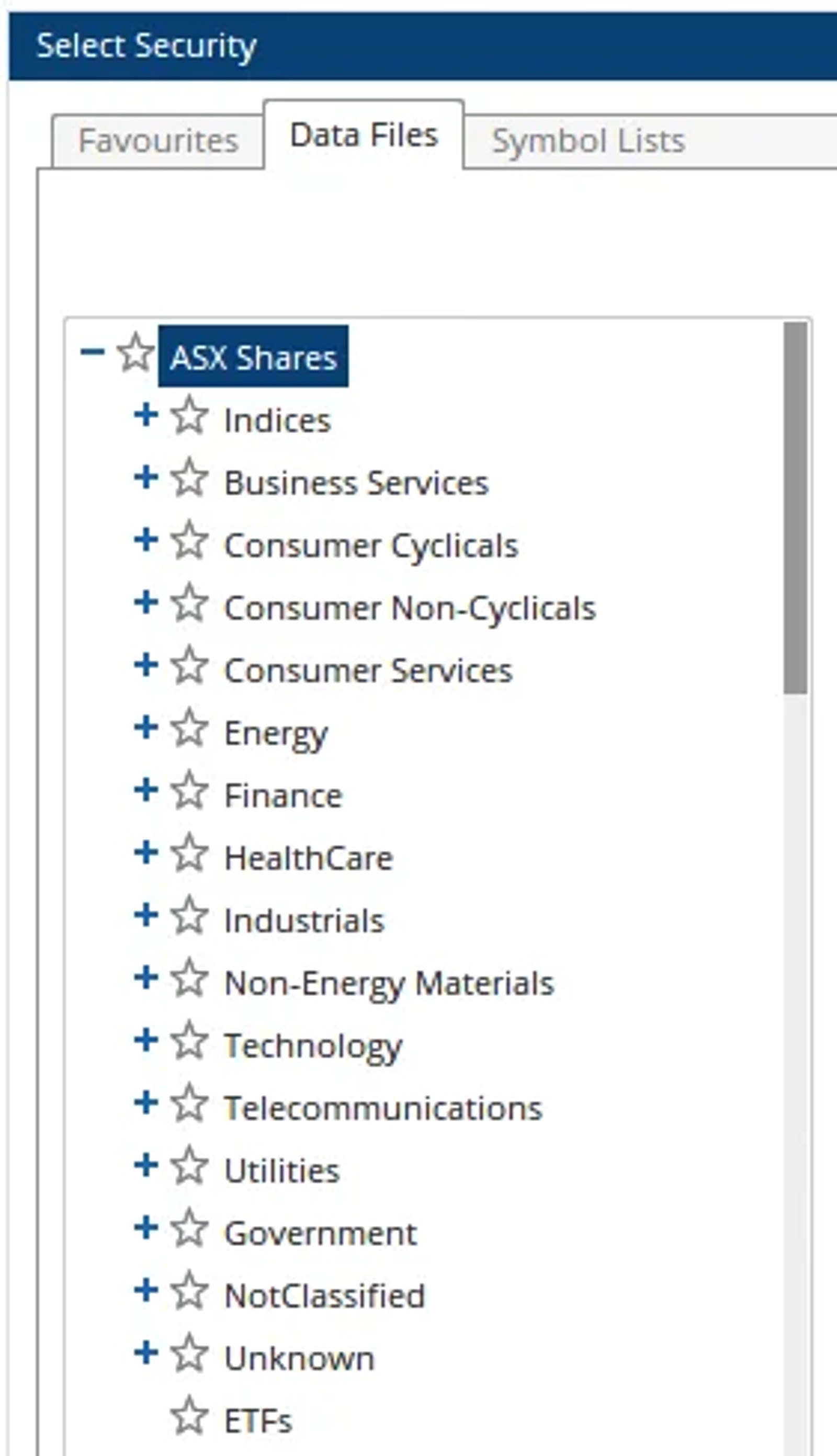
We now get fundamental data{: target="_blank"} from FactSet, including their sector classifications. As such, the exchanges are now grouped by their 12 sector, 20 industry, and 120+ sub-industry classifications, as in this example for the ASX:
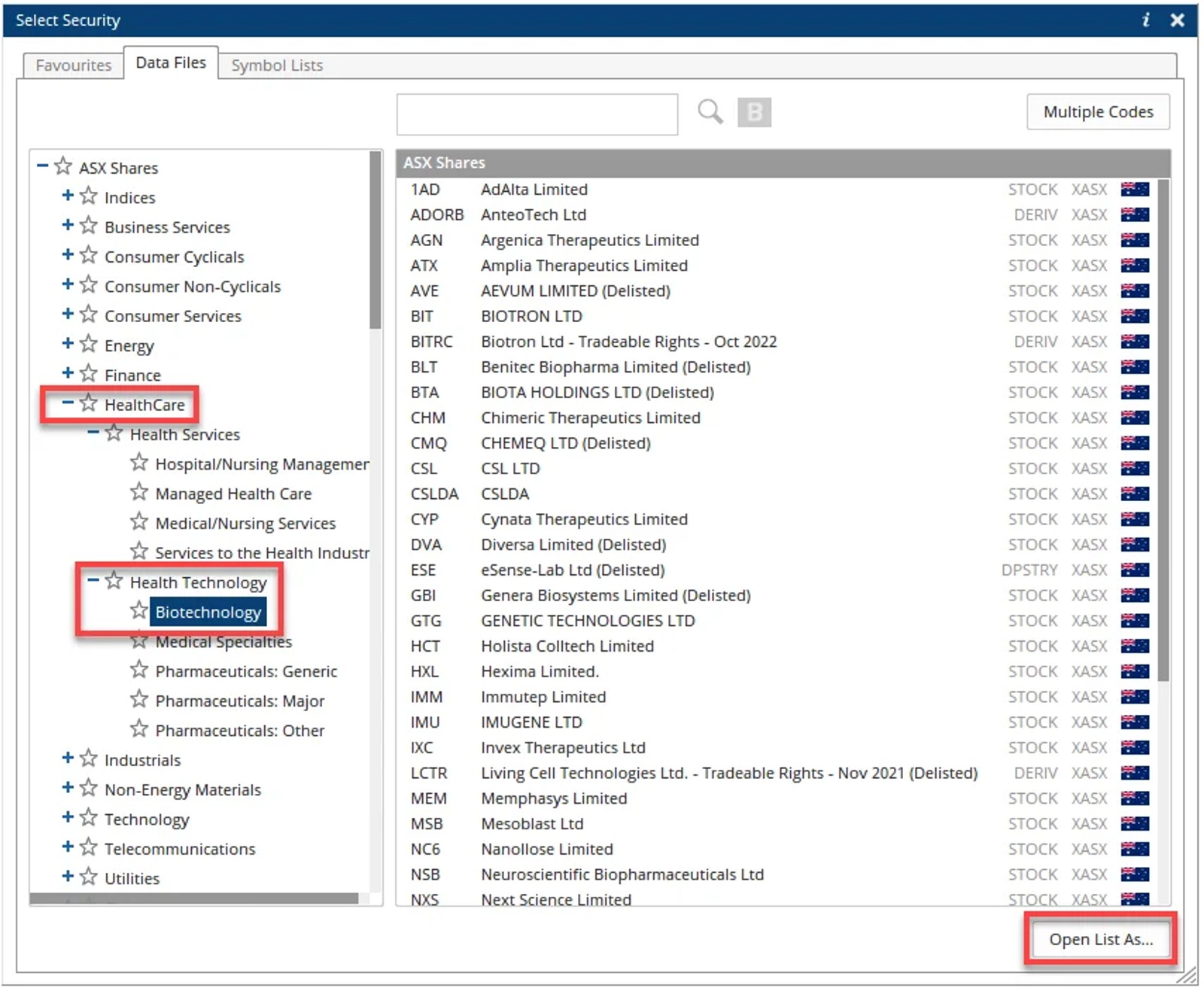
Click the + to expand the sectors into industries and sub-industries, as below for HealthCare which has two industry groups (Health Services and Health Technology). Clicking on the Biotechnology sub-industry will update the list on the right. Click the Open List As… button to choose how you would like to view those stocks, such as a Watchlist, using a previously saved Page Layout, or as a Relative Rotation Graph:
One thing to be aware of is that the groups may include delisted or inactive stocks. This is because if you are running historical backtests on these sectors then for accuracy you will want these stocks to be included in the results.
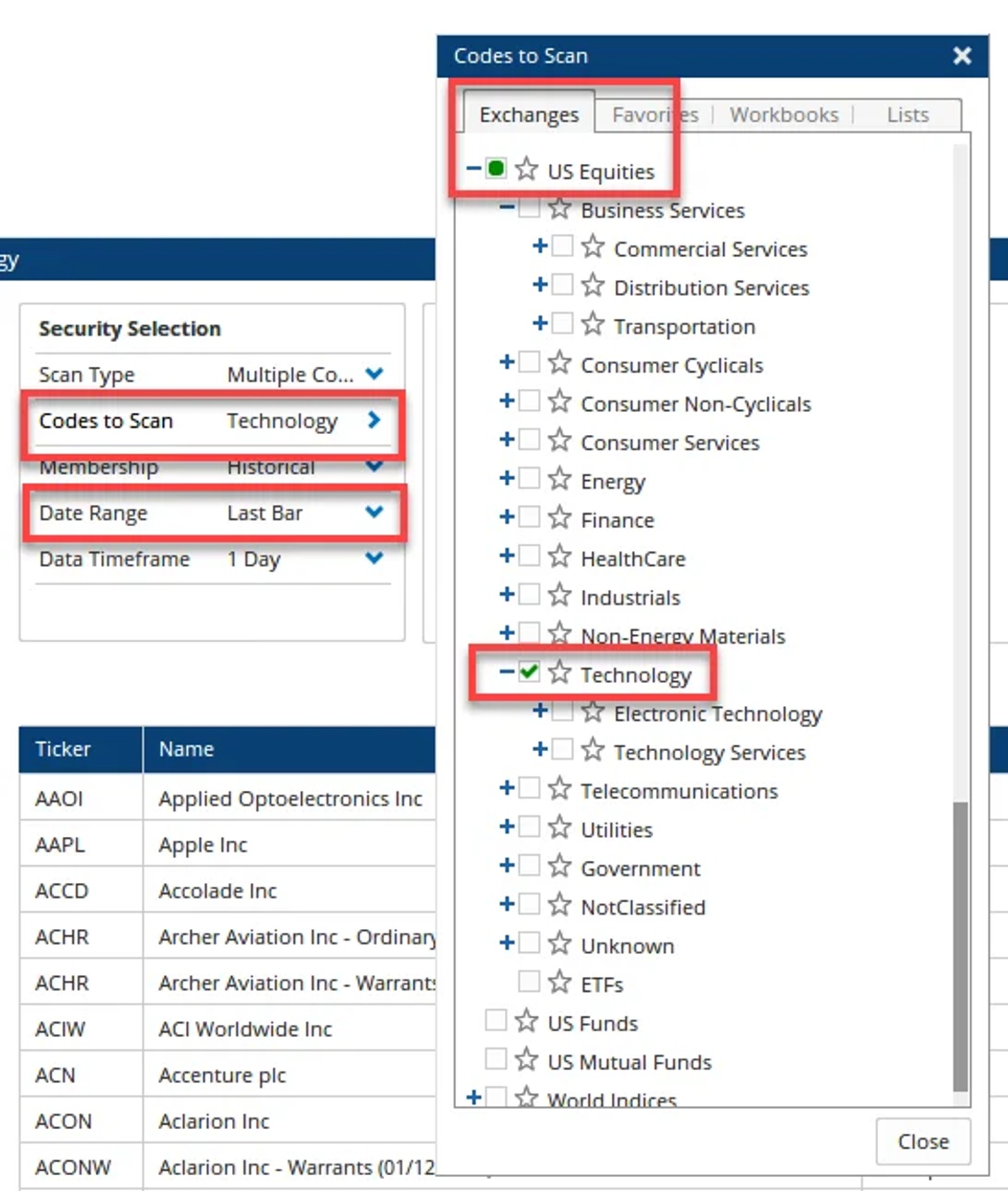
However, if you are using the Scanning Manager, you can select the sector or industry from the Exchanges tab under Codes to Scan, and on a Last Bar or Last Week Date Range only stocks trading in that time period will show in the results.
US GICS Index Data
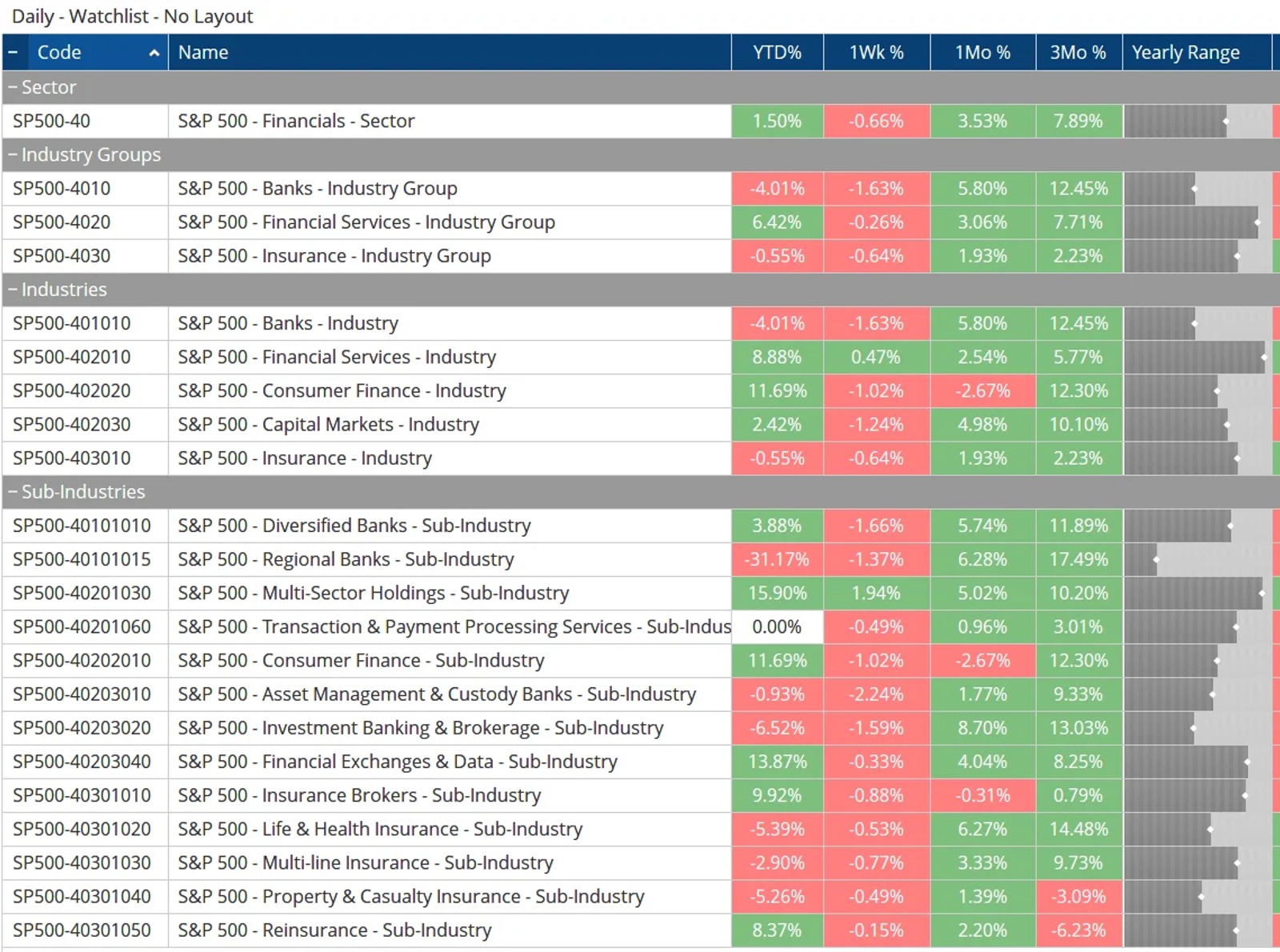
Whilst we no longer have GICS classification data for individual stocks (unless you have connected Optuma to a Bloomberg datafeed) we still have the US GICS sector index data for all four classification levels. These are included in the US Indices data selection and you can enable it on your account. If you have that data enabled, you can download the GICS Sector workbook from the Sample US Workbooks{: target="_blank"} page.

Senior Software Specialist at Optuma
Darren is the senior Software Specialist at Optuma based in Brisbane, Australia. Darren grew up in the UK and attended college in the USA where he earned a BA in Economics from St Mary's College of Maryland. He went on to spend a few years working at the Nasdaq Stock Market in Washington DC. Darren joined Optuma in 2009 after attending an introductory technical analysis course that used the software.


